2 years ago
We've just released a few updates to how templates are created and deployed!
Template Configuration
When deploying a template into an existing project, you now have a single pane to configure all the services.
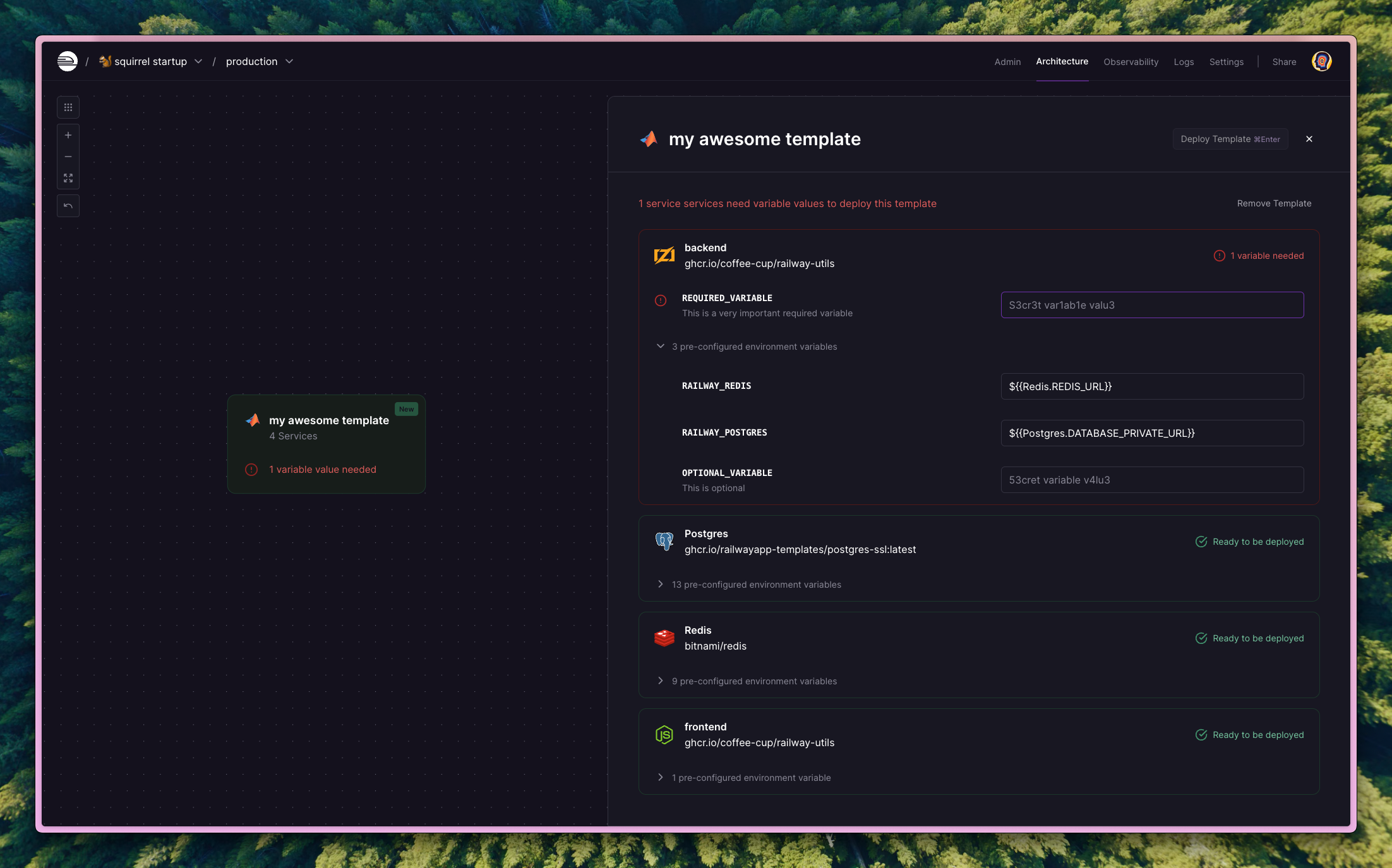
Once all the required variables have values, you can deploy with a single click.
Template Composer
When creating a template in the composer, you can now lay out all the services exactly as you want, and their positions will be saved to the template.
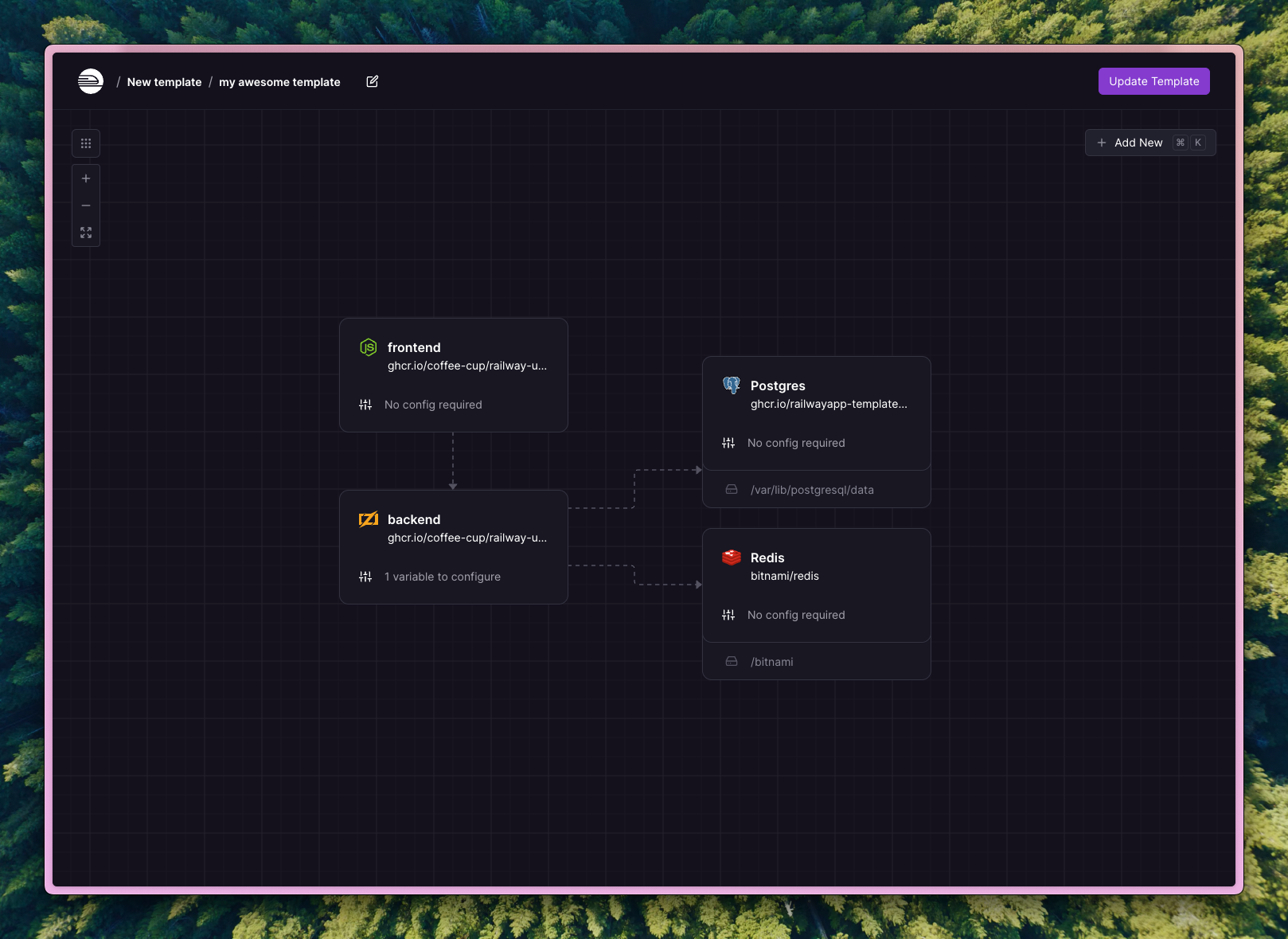
Connections between services are displayed if there is a reference variable from one service to another.
For those of you that have service groups enabled, deployed templates will appear in the same positions as laid out by the template creator and will be organized within their own group.
Please try it out and let us know what you think, as well as any feedback you may have.
0 Replies